
A filing cabinet isn’t doing much harm on its own. It’s just storing some paper, right?
Each piece of paper in that cabinet has taken time and effort to produce, print, deliver and store.
If you have many filing cabinets, full to the brim, over years, you begin to see how much waste can accumulate.
By going digital, you can reduce this; however it’s not as simple as ditching all filing cabinets and moving everything to the cloud. You’ll still receive deliveries and post; you just want to avoid creating more paper when not needed.
Contents
- Where Does All This Paper Come From
- Where Will You Still Receive Paper
- Why Recycling Isn’t Good Enough
- How Does Going Digital Change Things
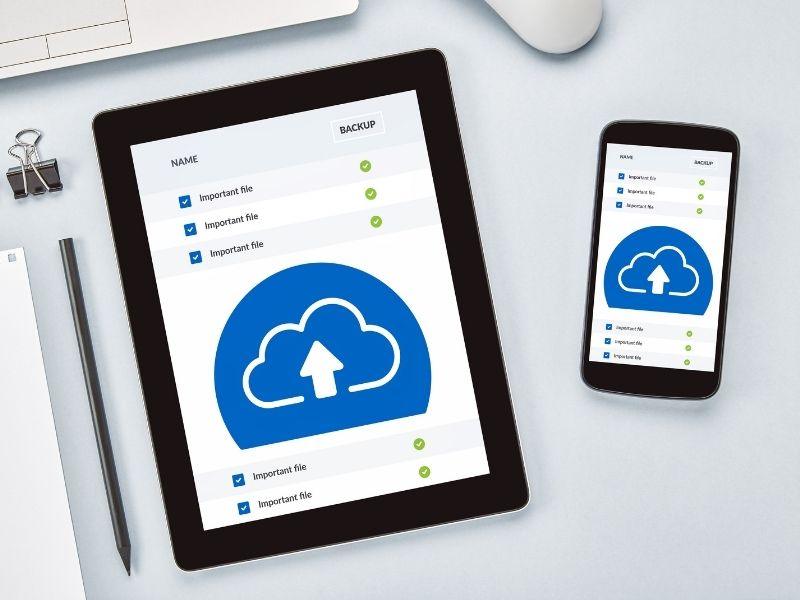
- Cloud Storage Has A Carbon Footprint
- Identify Where You Can Eliminate Paper
- When To Keep Paper
Where Does All This Paper Come From
As mentioned above, many processes create paper waste.
First you need to source, print, copy, distribute and file the paper. There’s also equipment, consumables and possibly postage to consider as well.
Each step takes resources, and the waste can add up when an office repeats the same process every day.
Think about the process of receiving an invoice via email, printing it to get it signed, scanning it into your books and filing it in a cabinet. The hard copy may serve a real approval requirement, but printing and filing it still use resources. Another copy for a meeting adds more paper.
By reducing the number of times you print, you can eliminate waste before it even occurs, instead of recycling at the end of its life.
Where Will You Still Receive Paper
You can implement systems to reduce your internal use of paper, but what about when you receive it?
There are many reasons you may receive paper: suppliers sending invoices, your bank, customers, you may even require an address to receive products.
A package receiving service can help a business separate the physical arrival of mail and parcels from the work of managing them. With a digital mailbox, staff can view images of incoming items online, request scans of letters, and give instructions to keep, forward or dispose of physical mail and parcels where available.
You can see for yourself how a digital mailbox pairs a physical receiving address with online instructions for each item.
Something to keep in mind: if you’re receiving packages, they’re still going to need to be delivered, packaged and sent somewhere. Forwarding a parcel may add another journey and more transport emissions. However, you may find you’re able to reduce your waste by limiting printing and unnecessary collections of your mail.
A contract you may receive by post can also be forwarded to you as a scanned copy, if allowed, so you don’t have to create multiple copies to read through it.
Ensure someone checks your mailbox; just because you have remote access doesn’t mean urgent items will be looked at.
Why Recycling Isn’t Good Enough
Recycling paper’s great, but it won’t reverse the environmental damage caused by producing it in the first place.
The American Forest & Paper Association estimated that the U.S. paper recycling rate was 61% to 65% in 2025.
While that’s a large amount, more paper is still being produced than needed and transported to businesses and homes. Some coated, laminated, or contaminated paper may not be accepted by local recycling services. And you’ll need to consider disposing of confidential information securely.
Reduce, reuse, recycle: always start with reducing your paper usage, reusing existing documents and then recycling what you can.
Make sure you dispose of confidential information correctly, don’t simply toss it in the recycling if it needs to be shredded. Use a secure waste disposal method.
How Does Going Digital Change Things
As you can see, going digital can have many benefits, not only will you have a cleaner-looking office, but you can send that information to others without it becoming more paper.
Your staff can approve, store, and locate documents quicker, all from the comfort of their desk, or remotely. You may also find that you’re able to reduce your filing cabinets as your older documents are no longer required to be kept.
However, going digital means you need to be careful when storing documents; don’t just dump everything into a shared drive and expect someone to know where things are.
Label your documents, have a process in place to store, delete and share them, just like you would with physical documents. Your staff may end up printing documents if they can’t find what they need, which defeats the purpose.
Also, remember to keep physical copies of documents when required; not all scanned copies are going to meet your requirements.
Cloud Storage Has A Carbon Footprint
Just because something is digital doesn’t mean it’s carbon neutral.
Data centers use electricity to run servers and networks. Manufacturing and replacing devices also has an environmental cost.
So if you remove paper from your office, you’re not going to be completely carbon neutral, but you can help reduce your impact on the environment.
Make sure you don’t save multiple copies of the same document, clear out documents when they’re no longer required, and share links with your staff instead of sending them attachments.
Find a system that supports access controls, version updates and secure deletion. You may also want to check your provider’s sustainability practices.
Don’t upgrade your equipment if you don’t have to; it will have an impact on the environment as well.
Identify Where You Can Eliminate Paper
There are several ways to reduce paper use. Start with the processes that use the most paper and identify prints you can avoid.
Some steps you can take:
- Identify one process, follow that process from start to finish, whether it’s receiving an invoice, filling out a form, or delivering a product; see how many times it’s printed, copied, sent, etc.
- Reduce printing by sharing documents digitally; only print if necessary.
- Separate your mail: what needs to be scanned, stored, forwarded, or disposed of.
- Create rules for your digital documents, label them, reduce copies, and set policies on when they can be deleted.
- Assess if you’re using less paper, ordering less, and reducing the number of collections for your mail.
Make sure you keep these changes manageable; you don’t want to create a system that requires you to scan, print, and deliver more than you currently are.
When To Keep Paper
Of course, you’re going to need some paper, but you can identify what you no longer need to have, and remove those from your office.